Parallel agents in Zed
Before I was coding with AI, it didn’t matter that I had a single VSCode window for every repo, or that I could only commit to one branch at a time. I was the only one coding for me.
Once I started using Claude Code, my potential to build fast skyrocketed, but now I was bottlenecked by my own ability to stay organized. Managing multiple agent threads at once requires a workflow that my old tools weren’t built for.
Git worktrees, there all along
Git worktrees already existed, but the problem they solve wasn’t a huge problem for me until agentic coding. Before AI, if I had local changes on a branch and needed to switch to another, I’d stash my changes with a name I could find later. It didn’t happen that often, and it worked fine because it didn’t force me to commit earlier than I was ready.
Now, if I want to code on two branches simultaneously, I need two local copies of the repo, each checked out to a separate branch. That’s what git worktrees unlocks. One repo, multiple working directories, parallel progress.
Too many windows
My next problem: too many windows. In months when I was contributing actively to three or more repos, it was hard enough to keep track of which window was which repo, let alone if I had one window per worktree per repo. I knew this wasn’t scalable, and the context switching was painful.
My workflow was disjointed and many of the gains I was getting from AI were being lost to failures in my environment. It’s like hiring 10 interns but only giving them one laptop to share.
Zed to the rescue
I needed a proper workspace for my agents. That was Zed.
I’d tried switching editors in the past. VSCode isn’t typically the Python developer’s go-to IDE, but until recently I didn’t have a strong enough reason to endure the transition. Zed wasn’t actually that painful because I could keep my VSCode keybindings from day one.
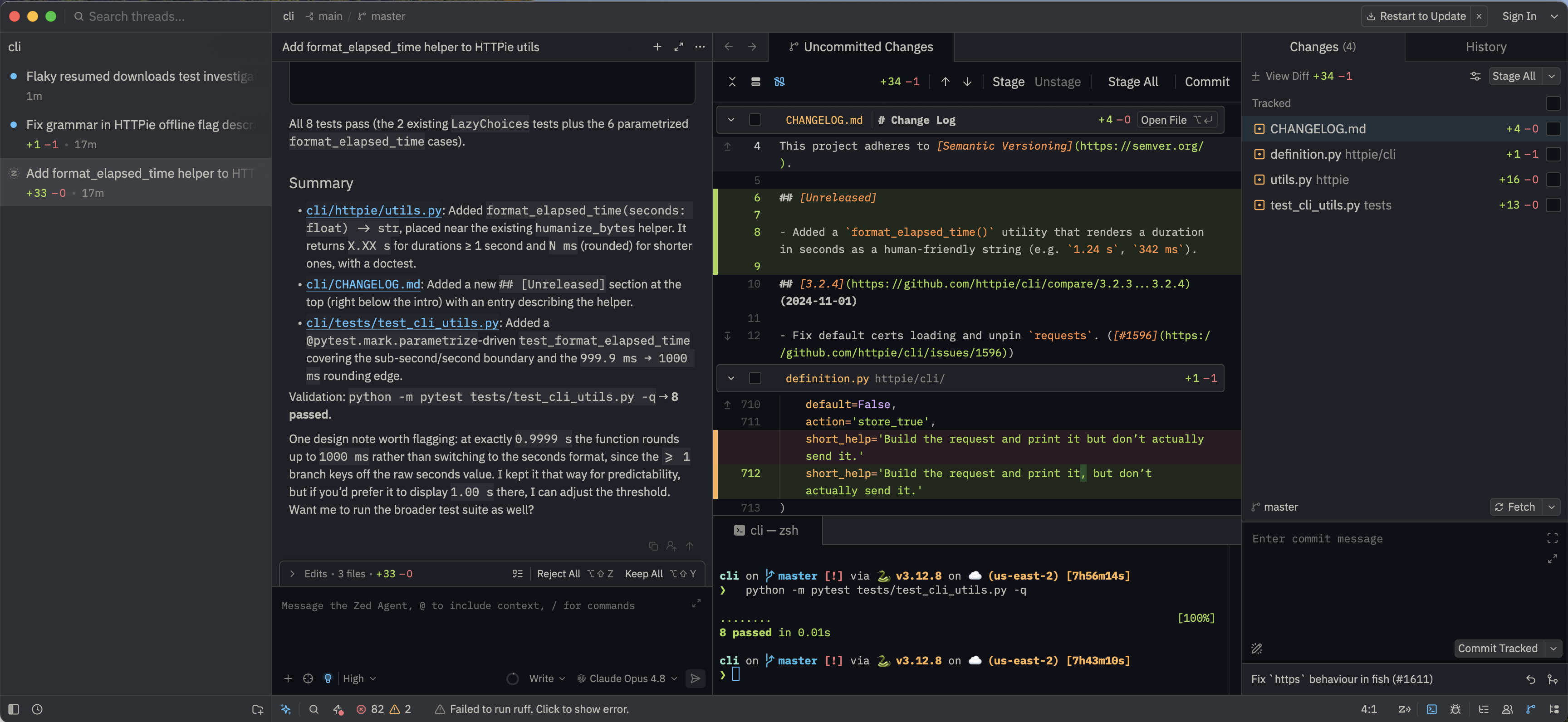
Many of the features I like about Zed exist in some form in other editors. But Zed exposes them in a simplified, clean interface that makes them click. The biggest win is parallel agents organized in the sidebar. It gives you an inventory of conversations with your agents, organized by project, labeled with the worktree and branch they’re working on. Unread threads have a blue notification dot, and Zed sends a push notification when a thread finishes that links to the complete thread. This eliminates the monitoring for when an agent is done, or even just finding where a conversation is among tabs or windows. You can continue to spawn new work streams, pivot between them while in between responses, and not feel like you may have lost track of one in the process.
Zed also has a built-in tool for creating reusable agent skills. I used it to build one that sets up a new worktree from main in a single command.
At this point, all of the painful window hopping and polling agent threads for completion is gone. My time and focus is optimized for frequent, yet smooth, jumping between implementations. And starting new tasks is no longer painful.
Staying integrated with the team
It is also vital that I stay compliant with Opto’s security policy for AI tools and do not isolate my environment from shared tools built by the engineering team.
Zed has its own built-in agent, but you can also select from a number of LLM providers. I connected to Amazon Bedrock to use Opto’s self-hosted model. Better yet, since Claude is our LLM of choice, I connected the Claude Agent through Zed’s Agent Client Protocol. Now my native thread experience in Zed uses Claude and loads all of our shared skills automatically. I was worried that committing to Zed long term would mean falling out of sync with things my teammates were sharing, but it has been seamless.
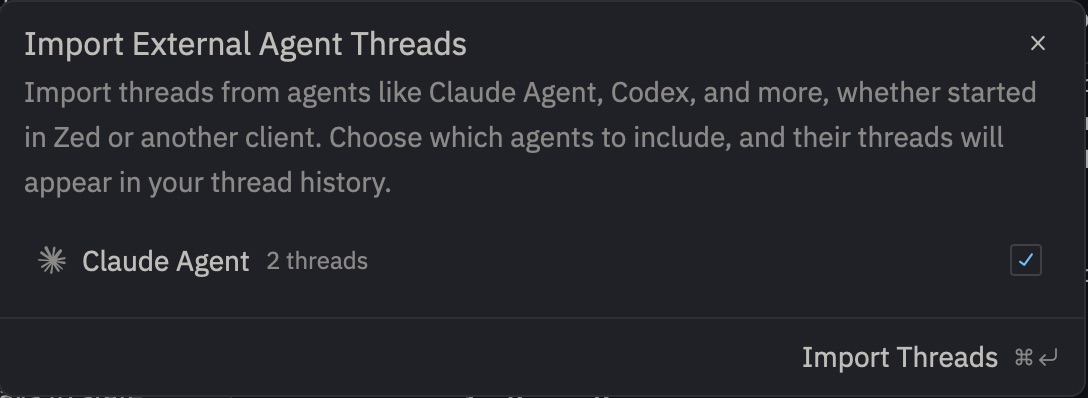
And if you’re worried about losing your Claude conversation history or want to jump between Zed and the terminal - in two clicks you can import your Claude conversations into Zed and pick up where you left off.
Symptoms of a suffering developer workflow
If any of these sound familiar, your tools might be holding you back:
- You’re juggling windows. Multiple editors and multiple repos, with no single source of truth for what’s in flight.
- You don’t know when your agent is done. You’re tab-switching or polling terminals to check status.
- You can’t run multiple conversations on the same worktree. One agent blocks another.
- You’re committing too much in individual PRs. Because spawning a fresh workspace feels like a big lift, you pile changes together instead of keeping them atomic.
If your environment can’t keep up with the speed AI gives you, you’re leaving most of it on the table. Fix the workspace first.
For disclaimers, visit https://www.optoinvest.com/disclaimers.