The Emoji That Told the Story: Building a Slack PR Reaction Bot
At Opto, engineers share their pull requests in team Slack channels when they are ready for review. It is a small ritual: drop the link, and people know there is work waiting.
Over time, the team built a shorthand around it. When you approved a pull request, you found that Slack message and added an emoji. When the author merged it, they added another. At a glance, you could scroll through a channel and triage what still needed attention versus what was already handled. No opening GitHub. No checking pull request status. The emoji told the story.
This is the engineering journey of how we automated that workflow, broke it, and eventually landed on an elegant solution.
The starting point: PR previews in Slack
Before reactions entered the picture, we did not have good pull request previews in Slack. GitHub’s official Slack app would have handled this, but it requires full read access to a workspace’s message history, a permission we do not grant to third-party apps. So it was off the table.
As a stopgap, we built a bot that replied to every pull request link with the pull request’s title, description, and status pulled directly from GitHub. It worked, but it cluttered threads and could not be dismissed.
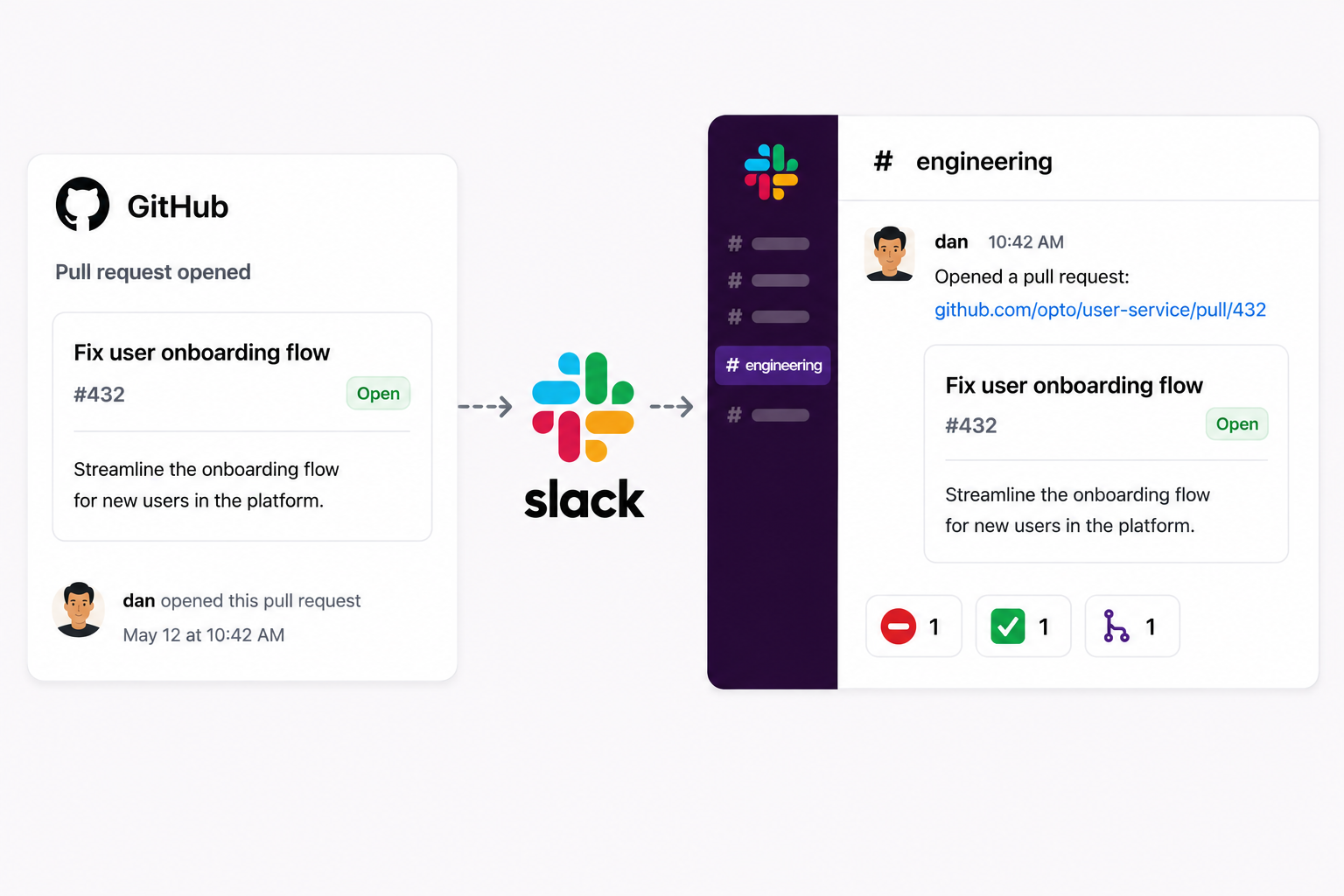
Last fall, we replaced that with proper Slack unfurls. When someone shares a GitHub pull request link, Slack fires a link_shared webhook event: essentially a notification to our app saying that someone just posted this URL. We catch that event, call GitHub’s API to fetch the pull request details, then call Slack’s API to replace the raw link with a rich inline preview containing the title, description, and status.
It is clean, native-feeling, and creates no thread noise. That worked well. Next, we wanted to close the loop on the emoji convention.
Version 1: reactions via Slack search
This past spring, we shipped the first version of automated reactions. The idea was simple: GitHub sends a webhook whenever a pull request is merged or a review is submitted. When we receive that webhook, search Slack for the pull request URL, find the messages containing it, and add the right reaction.
The reactions map was:
- Pull request approved ->
:lgtm: - Changes requested ->
:requested-changes: - Pull request merged ->
:merged: - Pull request closed without merging ->
:pr-closed:
We quickly ran into a minor speed bump. When the bot tried to add a reaction in a channel it had not been invited to, Slack returned a not_in_channel error. We taught the bot to catch that error, join the channel, and retry.
The feature worked, and engineers loved it.
The problem: Slack bot tokens cannot search
Slack’s app permissions page lists search scopes alongside bot token scopes, which made it easy to miss that search is exclusively a user-level permission. A bot token cannot hold it.
During development, we initially implemented the integration using a user-level OAuth token before recognizing the architectural tradeoffs. User tokens belong to a person rather than a service, carry that user’s message access, do not rotate in the same way as service credentials, and disappear when that user leaves the organization.
They are the wrong foundation for a feature that should be owned by an application rather than an individual.
Once we recognized those limitations, we pulled the feature rather than leave it standing on a foundation that could not hold. Engineers had gotten used to it. Losing it stung a little, which at least told us it was worth fixing properly.
The redesign: stop searching, start indexing
Bot tokens cannot search, so any approach that finds a Slack message by querying for it is a dead end. We needed a different approach.
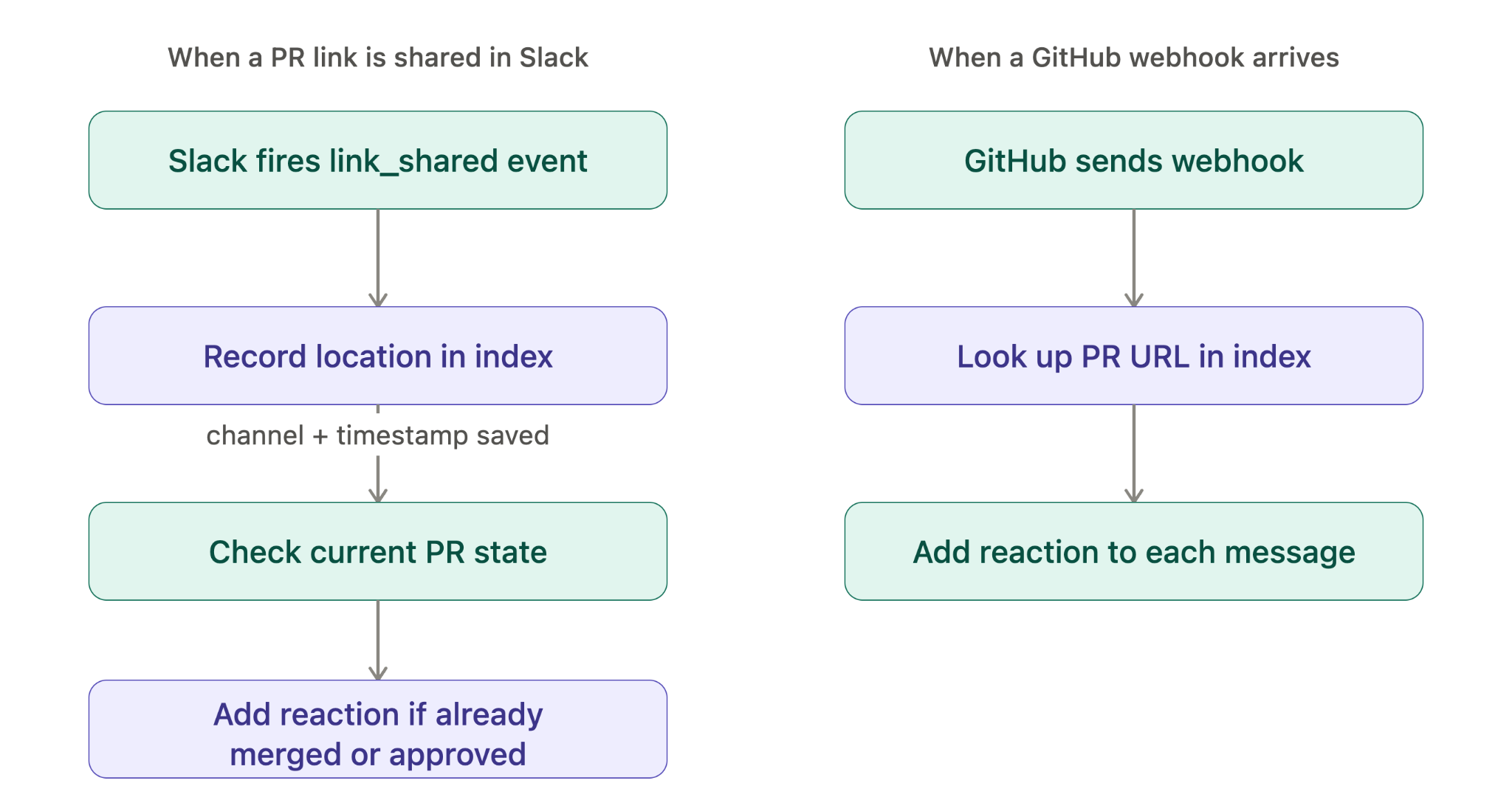
We already handle link_shared events to produce unfurls, which means we already see every pull request link the moment it is shared in Slack. We know the channel. We know the timestamp. We know the message ID. Instead of hunting for that information later, we could capture it now.
We added a DynamoDB table called slack-pr-message-index that maps pull request URLs to their Slack message locations. This was a small but meaningful shift: our internal Slack app was becoming something more than a bot. It was taking on a data ownership role, and DynamoDB gave us a pattern we could build on for future automations.
Every time a pull request link is shared in Slack, we write an entry recording the URL, the channel where it appeared, and the timestamp of that message. When a GitHub webhook arrives, we look up the pull request URL, get back every Slack location where that link was shared, and add the reaction to each one.
No search. No user tokens. The bot only ever uses its own credentials.
The next enhancement: avoiding duplicate reviews
The unfurl we add to every pull request link already includes a color-coded banner showing the pull request’s state at the time it was shared. Green for open, purple for merged, and so on. For most pull requests, that is enough.
But there is a timing gap. If someone shares a pull request link that was already approved before it appeared in Slack, the banner shows the right color, but there is no reaction yet. There is also no future webhook coming to add one because the approval event already fired and we missed it.
We closed that gap by checking pull request state at unfurl time. When we process a link_shared event, we call GitHub’s reviews API to see whether the pull request already has approvals, and if so, apply the reaction immediately.
One subtlety is worth calling out: GitHub’s reviews API returns the full review history, not just the current state. A reviewer could have approved a pull request and then later come back and requested changes. We only consider the latest review per reviewer, so a stale approval does not trigger a reaction when the actual current state says otherwise.
One layer below the product
The result is what engineers had been doing by hand: a Slack channel full of pull request links that annotate themselves. Approved means approved. Merged means done. Nothing means it still needs eyes.
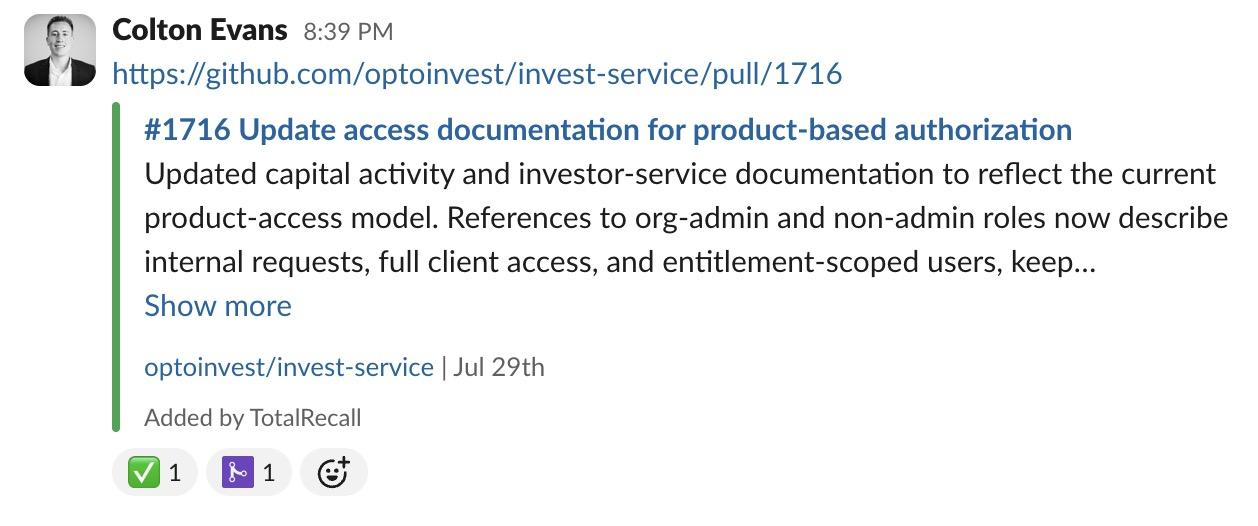
The emoji convention started as an informal habit. Nobody mandated it, and nobody designed it. Engineers just found a way to make their workday a little cleaner, and it stuck.
Automation is the same thing. A few engineers noticed a manual step that happened dozens of times a day, figured out how to remove it, hit a wall, rethought it, and shipped something that now works quietly in the background. The Slack channel looks the same as it always did. The emojis still tell the story. Nobody has to put them there anymore.
The best automations are the ones nobody notices. The emojis were always doing the work; now they just do not need help. Some of the most satisfying engineering happens one layer below the product: small tools that quietly remove friction and make the people building the thing a little faster.
For disclaimers, visit https://www.optoinvest.com/disclaimers.